Self Calibration
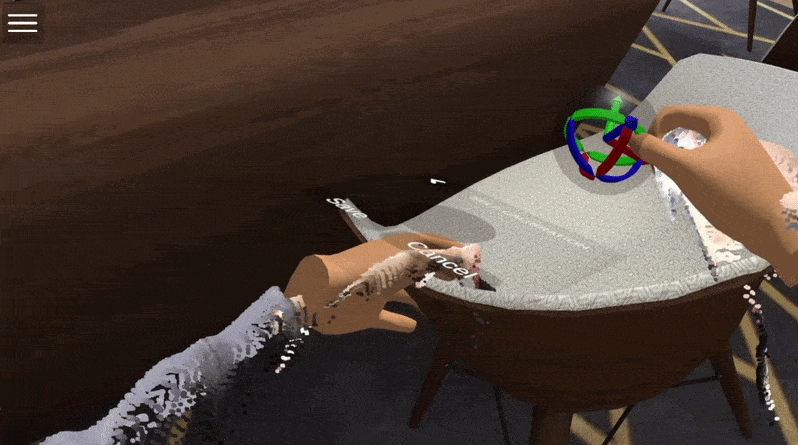
This sample is the fully realized, ready-to-use version of the Self Calibration Step-by-Step Implementation Guide. Instead of manually assembling the calibration components, you can use this sample to see a completed and fully functional setup.
In many ways, this sample acts as a hybrid between the Menu and Example Session samples. It combines all the necessary elements into a single scene, while explicitly featuring the Self Calibration tools integrated directly into the user interface.
What is Included?
When you open this sample, you will find a complete environment ready for spatial alignment:
-
Unified Menu System The sample includes the
UnifiedMenuSystemprefab already configured. It is fully set up to work seamlessly in both Virtual Reality (using the wrist menu and the interactive spatial orb) and Desktop Mode (using the mouse and UI sliders). The self-calibration button is already wired into the menu. -
Session Player Manager and Player Prefab The
SessionPlayerManageris present and includes the defaultPFB_Playerprefab. This player is fully equipped with theCalibrationscript, the proxy avatar, the XYZ gizmos, and the VR wrist anchors. Because everything is pre-installed, you don't have to worry about missing references or complex configurations.
Further Reading
To dive deeper into the mechanics of how the calibration system works behind the scenes, or to learn how to recreate this setup manually in your own custom scenes, refer to the core documentation: