Distributors
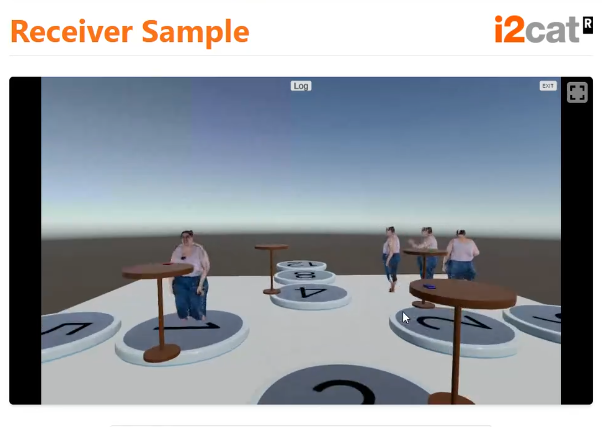
This sample demonstrates how the SDK handles the capturing, encoding, decoding, and rendering of high-quality video streams across the network. It provides a complete sandbox to test the video distribution capabilities (from webcam or render textures) and simulates how this media travels through the architecture.
How the Video Distributor Works
The sample is primarily driven by two key example scripts that you can inspect to understand the inner workings of media distribution:
1. TestVideoDistributor.cs
This script acts as the core of the media pipeline test. It is designed to capture a video source, encode it, decode it back, and render it to a destination—effectively simulating the full loop of sending and receiving video over the network.
- Sources: It can read video either from a physical
WebCamReaderor virtually through aRenderTextureReader. - Encoding/Decoding: It creates instances of
VideoEncoderandVideoDecoder, utilizing high-performance codecs (like HEVC) and hardware acceleration (like CUDA). - Queues: It uses thread-safe queues to pass data efficiently between the reader, encoder, decoder, and preparer.
- Rendering: Once the video is decoded, the
VideoPreparerformats the raw texture data so it can be seamlessly applied to a UnityRenderer(like a 3D screen or a raw image).
2. VideoDistributorOrchestratorConnect.cs
While the previous script handles the raw media, this script is responsible for the networking and session orchestration.
- Login and Connection: It automatically logs into the user manager, fetching the correct credentials and synchronizing the NTP time.
- Session Management: It queries active sessions via the
SessionManagerController. If a test session exists, it joins it; if not, it creates a new one. - Initialization: Once fully connected to the Event and Media managers, it activates the
VideoDistributorcomponent, ensuring media is only streamed when the network backend is completely ready.
What You Can Learn
By analyzing this sample, you will learn how to:
- Connect custom video sources (like Unity Cameras rendering to a texture) to the SDK's encoding pipeline.
- Manage thread-safe data queues for high-performance media manipulation.
- Programmatically log in and join sessions without relying on the default visual menus.
- Configure codecs, bitrates, and hardware acceleration options manually.
Further Reading
To learn more about the theoretical concepts and the specific components used in this sample, refer to the core documentation: