Create a Multiplayer Session
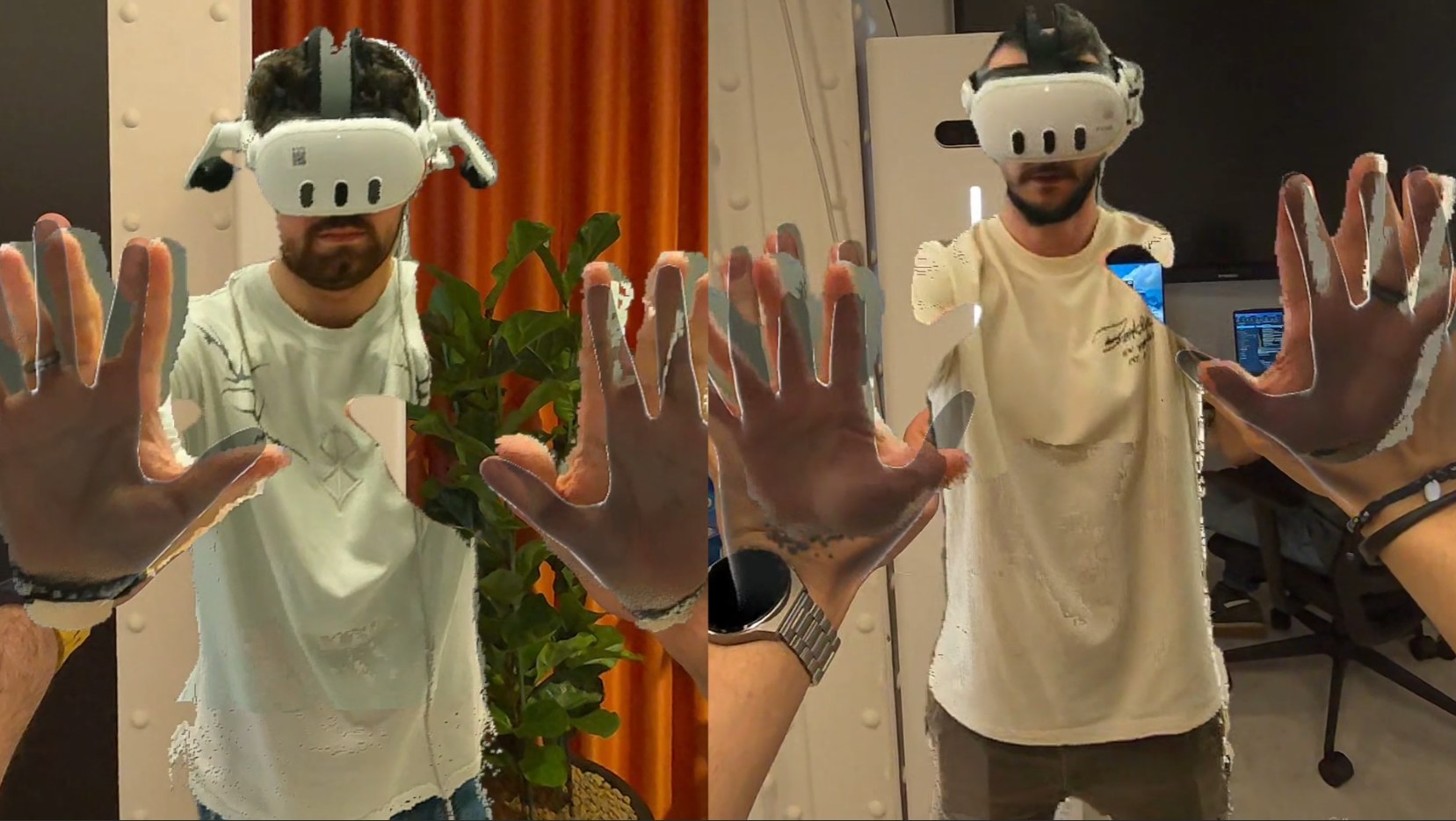
The HoloMIT SDK provides a complete networking layer that allows you to create shared, multiplayer volumetric experiences. Whether you want two users to see each other's holograms in real-time or build a full collaborative environment, this section will guide you through the process.
Getting Started
To correctly create a multiplayer session, you can begin with one of the following starting points:
Option A: Use the SDK Samples
The SDK ships with ready-to-use sample scenes that demonstrate a fully working multiplayer setup. You can import and explore them to understand the structure before building your own:
- Menu Sample — A pre-built menu interface for creating and joining sessions.
- Example Session Sample — A complete example session with all networking components configured.
Option B: Follow the Beginner's Guide
If you prefer to build everything from scratch, you can follow the step-by-step guide from the beginning:
- Quick Start Guide — Set up your project from zero and learn the fundamentals before adding multiplayer functionality.
Networked Components
Once you have a basic session running, you can extend it with the SDK's networked components to synchronize objects, spawn avatars, and manage the shared state of your experience.
- Networked Components Overview — Learn about all available components for synchronizing data across the network.
- Network Spawner (WIP) — Use this component to dynamically spawn volumetric avatars and objects into your networked scene.