Webcam Pipeline
The Webcam Pipeline is the core component within the HoloMIT SDK responsible for the entire 2D video conferencing lifecycle. It is contained within its own dedicated library, Webcam.DLL, and handles everything from capturing data from physical webcams to encoding, network transmission, decoding, and rendering the 2D representation in the scene.
Overview
This system inherits from BasePipeline and relies on multi-threading (via Thread Safe Queues and Workers) to ensure high performance and low latency during 2D video streaming. It abstracts the complexity of video encoding and decoding so you can focus on the user experience.
Architecture & Workflow
The pipeline operates in two distinct modes depending on the SourceType: Self (Producer) and Remote (Consumer).
1. Producer (Self Representation)
When a user is the source of the 2D video data (e.g., they are being captured by local webcams), the pipeline acts as a Producer. The workflow is as follows:
- Reader (
WebCamReader): Captures the raw frames from the configured local webcam. - Encoder (
VideoEncoder): Compresses the 2D video data using hardware-accelerated codecs (H264/H265). The SDK automatically detects and prioritizes the best available hardware acceleration on the user's system (e.g., CUDA, D3D11VA, DXVA2). - Writer (
MediaWriter): Packages the encoded streams and transmits them over the network.
Preview Mode
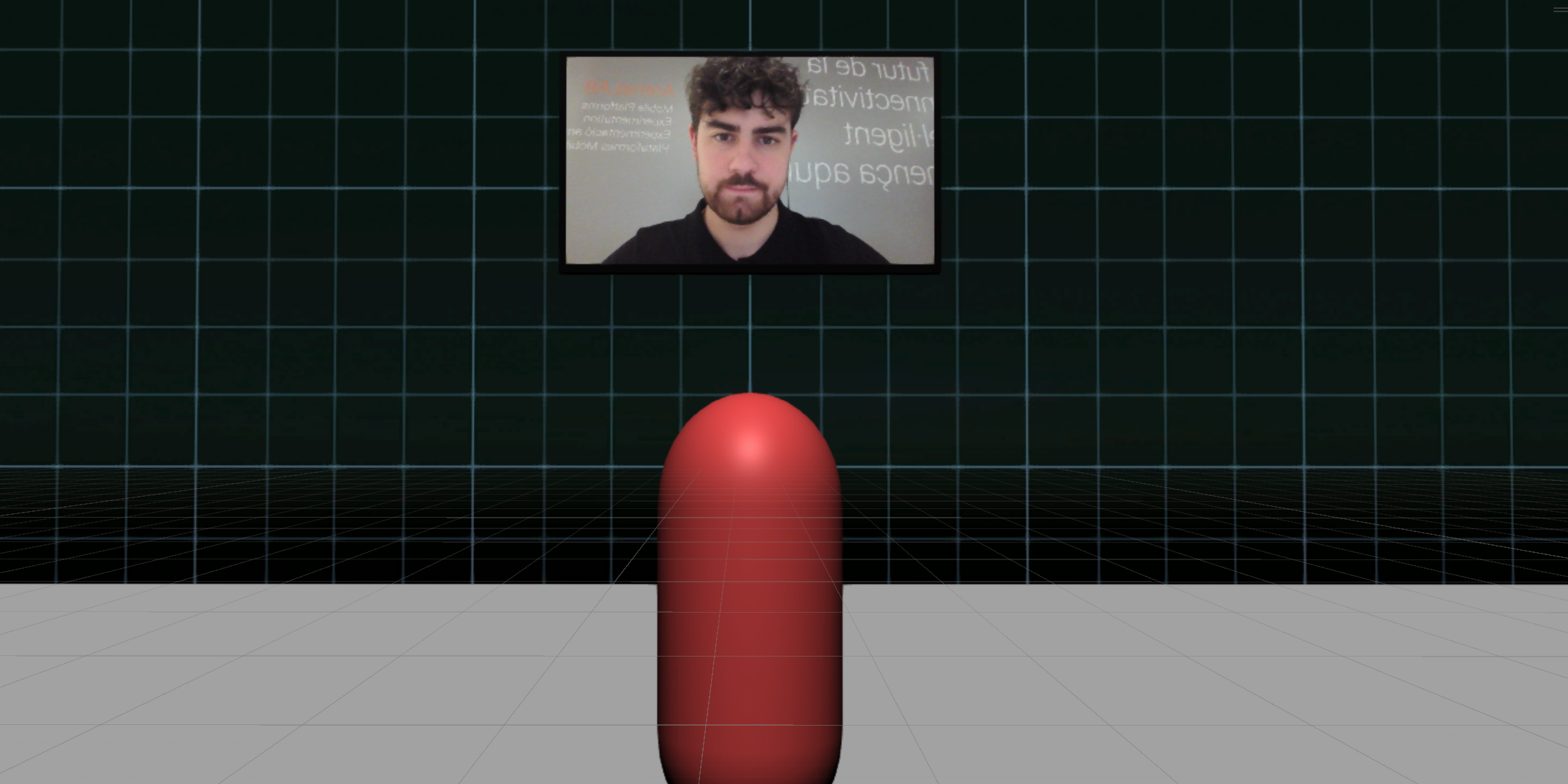
You can initialize the pipeline with preview = true to completely bypass the VideoEncoder and MediaWriter. In this mode, the raw webcam texture is rendered directly to the screen without network transmission, which is very useful for testing or creating "mirror" UI interfaces.
2. Consumer (Remote Representation)
When a user is receiving 2D video data from other users in the session, the pipeline acts as a Consumer. The workflow is reversed:
- Reader (
MediaReader): Receives the encoded streams from the network. - Decoder (
VideoDecoder/AndroidVideoDecoder): Decompresses the 2D video data. The SDK handles platform differences automatically, seamlessly switching to Android-specific decoders when deployed to mobile devices. - Preparer (
VideoPreparer): Reconstructs the decoded frames into texture data. - Renderer (
WebCamPipeline): Takes the prepared data, loads it into aTexture2D, and dynamically updates the visual representation frame-by-frame.
PlayerHeadScreen Requirement
For both the Consumer playback and the Producer's Preview Mode, the WebCamPipeline automatically searches for a child GameObject named exactly "PlayerHeadScreen". It expects this object to have a Renderer component where it will automatically apply the video texture and dynamically adjust its local scale to match the video's aspect ratio. Ensure your 2D avatar prefab includes this child object!
Shaders and Materials
When developing with the SDK, you may need to customize how the 2D video is displayed in your scene. The visual representation relies on the following components provided within the package:
- WebcamShader: A custom shader specifically designed to render the 2D video texture onto your desired surfaces.
- Materials (
Webcam,WebcamGamma): Ready-to-use materials configured to correctly process the gamma and color space of the incoming video feed. You can apply these materials to your custom avatars, screens, or UI elements (such as the material on yourPlayerHeadScreen) to ensure the video feed renders properly depending on your project's color space settings.